


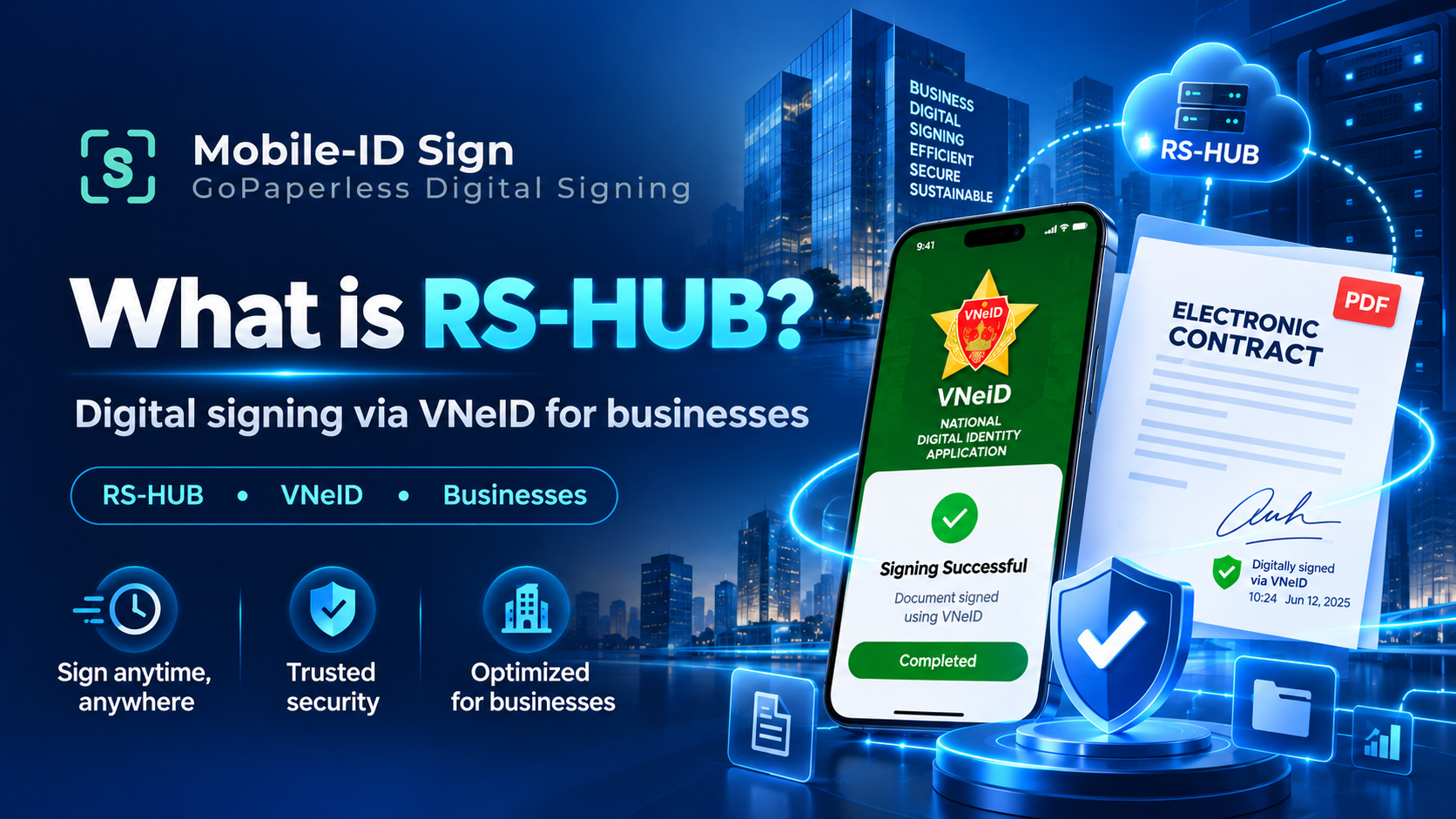
What Is RS-HUB? Remote Signing via VNeID for Businesses
Discover how RS-HUB works, how to register a digital signature certificate on VNeID, the benefits of remote signing, and the integration options available for businesses with Mobile-ID.
CONTRACT✓ DIGITALLY SIGNED
As digital transformation accelerates, businesses increasingly need to sign contracts, approve records, and complete electronic transactions quickly and securely — without being limited by geographic distance.
With the growth of remote signing solutions, businesses can gradually reduce their dependence on USB tokens and integrate signing workflows directly into the business systems they already run.
The emergence of RS-HUB on the VNeID electronic identification and authentication platform opens up a new approach, letting users interact with signing services through an electronic identity platform.
For businesses, understanding RS-HUB goes beyond the signing method itself — it also touches on system integration, signer authentication, digital certificate management, and transaction verification.
What Is RS-HUB? Understanding the VNeID Signing Gateway
RS-HUB (RSHUB) is a centralized gateway on the VNeID electronic identification and authentication platform. In the remote signing model, the user, the connecting gateway, the signing service provider, and the business application each play a distinct role.
This is a connection model that gives citizens access to digital signature features on VNeID, including registering a digital signature certificate, viewing certificates, and looking up signing history.
With the right integration approach, businesses can bring the signing step directly into their electronic transaction journey.
Understanding the role of each component
An electronic identification and authentication platform that supports users in performing related actions within the scope of each service.
The connecting gateway for remote signing activities on the VNeID platform.
Organizations and infrastructure that provide certification services, digital signature certificates, and remote signing services within their licensed scope.
Manage documents, signers, business workflows, and transaction results.
For remote signing via VNeID, RS-HUB is one connection path within the signing ecosystem. The identity platform, the signing-authorization mechanism, and the signature-creation provider each carry their own responsibilities.
Learn about signing via VNeID / RS-HUB on Mobile-ID SignBenefits of Remote Signing via VNeID for Businesses
From HR contracts to customer records, the signing process can become far more efficient when carried out electronically and integrated directly into the systems a business already uses.
Less paperwork, leaner operations
Cuts down on printing, document courier runs, and waiting for in-person signatures wherever the process meets electronic-transaction conditions. Signers can complete transactions from different locations, depending on the method supported.
Faster processing times
Digitizes document delivery, approval, and completion. Centralized tracking reduces manual document handoffs between departments.
Stronger trust and verification
Combines electronic identification, digital signature certificates, and signature verification to give more grounds for confirming signer identity and document integrity.
Fits into existing workflows
Connects the signing step with document management, permissions, processing status, and record storage, instead of running it as a standalone action.
The actual level of assurance and efficiency depends on the certificate type, authentication method, legal conditions, and how the rollout is implemented.
How Does Remote Signing via VNeID / RS-HUB Work?
Depending on the deployment model, the business application manages the document and signing request; VNeID handles identification and confirmation steps within its service scope; the CA/RSSP creates the signature; and the source application verifies and stores the result.
Creates the record, document, signer, and document version.
Handles interaction, authentication, and authorization according to the deployment method.
Creates the signature using the appropriate certificate and signing infrastructure.
Receives the result, checks the status/certificate, and stores the record.
Distinguishing login, data sharing, and signing consent
Login and identity authentication within the scope of the authorized service.
The user agrees to share identification information as required by the transaction.
The signer confirms and authorizes a specific signing request.
Important note: A successful login or agreeing to share information does not mean a document has been digitally signed. Within the scope of the service agreement, Mobile-ID may coordinate the request; the CA/RSSP creates the signature, and the result must be linked to the correct document for verification.
This diagram is a general overview, not a fixed API call sequence for every integration approach.
Registering a Digital Signature on VNeID: Getting Started with Remote Signing
To use signing services via VNeID, users need a suitable electronic identity account, a valid digital signature certificate, and access to a service that supports the corresponding signing flow.
-
Prepare your VNeID account
Log in with a level-2 electronic identity account and update the VNeID app to a version that supports this feature.
-
Access the digital signature certificate feature
In VNeID, find Service group → Other services → Digital signature certificate. The exact menu location may vary by app version.
-
Register or manage your certificate
Choose a supported provider and complete the registration, verification, and terms-of-service steps.
-
Receive and confirm signing requests
From an integrated business application, review the document and complete authentication and approval for the signing request as instructed.
-
Receive and check the signed document
Check the signing status, certificate information, and store the electronic record according to your organization’s management process.
Note for businesses: Having a VNeID account doesn’t automatically mean you have a digital signature certificate. For transactions on behalf of an organization, you need to verify the certificate type, standing, and signing authority of the signer.
Read more: VNeID digital signature certificates and the signing journey via RS-HUB ↗
Applying RS-HUB to Digital Business Contract Signing
RS-HUB works best when designed around the specific record type, signer role, and legal requirements of each transaction.
Electronic labor contracts
Remote signing via VNeID can be considered here. However, the eContract platform, certificate type, and the obligation to submit contracts for an ID code each need separate assessment.
Banking, securities, insurance
Exploring remote signing for transactions that require authentication and a digital signature, while meeting operational, data-protection, and industry-specific legal requirements.
Signing contracts with customers
Building an online contract-signing workflow that lets customers sign documents without necessarily visiting a physical location.
Internal approval workflows
Combining digital signing with approval processes, accountability controls, and audit trails within document and task management systems.
Is Signing via VNeID Legally Valid?
A signature’s legal validity doesn’t arise simply because the action took place inside the VNeID app. What matters is that the digital signature and certificate meet legal requirements, are used by the correct party, and are appropriate for the type of transaction.
Legal framework to consult
Vietnam’s Law on Electronic Transactions 2023 governs electronic signatures, digital signatures, and their legal validity in electronic transactions.
Decree 23/2025/NĐ-CP governs electronic signatures and trust services. Businesses should check for amendments and any industry-specific regulations currently in force.
For documents signed on behalf of a business, it’s important to clearly distinguish an individual’s signature from an organization’s signature, and to confirm the scope of representation and authorization before choosing a signing method.
Electronic Labor Contracts
Circular 08/2026/TT-BNV takes effect on July 1, 2026. Under this circular, eContract providers must submit electronic labor contracts and related data to the Electronic Labor Contract Platform to obtain an ID code, where applicable.
This does not mean every electronic labor contract must be signed via VNeID or RS-HUB. Businesses need to separately assess the signing method and any resulting obligations.
RSS Documentation and RS-HUB Integration: A Guide for Businesses
When searching for RS-HUB API, REST API for digital signing, digital signature API Vietnam, or remote signing service API, businesses are usually looking to connect the signing step from their own systems and receive a verifiable result.
However, the RS-HUB integration page on Mobile-ID Sign is currently a technical reference for the Remote Signing Service (RSS), not a declaration of a public RS-HUB API that any system can use right away.
Components involved in an integration approach
- Source application: Manages documents, signers, and transaction status.
- RAR/C06 – VNeID: Relates to the electronic identification and authentication platform within its service scope.
- RS-HUB: The connection path for remote signing activity.
- Mobile-ID: Takes part in coordination, connecting components, and linking transactions within the deployment scope.
- CA/RSSP: Provider of the appropriate certificate and signing service.
This is a high-level overview of component roles, not a fixed API workflow for every deployment. Authentication, ShareInfo, signing consent, and signature creation must all be distinguished; transaction codes, callbacks, status, and verification must follow the actual specification and connection rights in place.
What businesses should assess before integrating
When evaluating RSSP integration or CA/RSSP webhooks, the technical team should confirm the RSS specification version, the test environment, the signing provider, asynchronous status handling, verification obligations, and error-handling procedures.
For development teams, Mobile-ID Sign provides the Remote Signing Service (RSS) API reference, covering request and response structures and operations such as credential registration, document hash signing, certificate retrieval, signing status tracking, and identity information sharing via VNeID. The documentation also includes OpenAPI and Postman references, along with technical considerations to verify before integration.
Important: The documented operations are provided as technical references and have not been confirmed as implemented or tested in a sandbox environment. Businesses must verify the applicable specifications and connection requirements before proceeding with production deployment.
Component names in a reference document should not be assumed to be a production API, nor should every CA be assumed to already have a matching connection available.
Reference Documentation
Explore the architecture and technical considerations for remote signing integration via VNeID/RS-HUB:
View the RS-HUB integration reference — Remote Signing Service (RSS)Explore API operations, data structures, and technical requirements to verify before integration:
View the Remote Signing Service (RSS) API ReferenceHow Mobile-ID Helps Businesses Deploy Remote Signing
To make remote signing effective, a business needs more than just a way to confirm a signature — it needs a solution that connects the signing step with the business systems it already runs.
Mobile-ID Sign – GoPaperless Digital Signing is a platform built to connect business applications with multiple signing methods through mobile channels, desktop applications, and a REST API.
Rather than requiring a business to build and manage the entire signing journey for every provider itself, the platform focuses on supporting access, coordinating transactions, and managing signing results within the deployed service scope.
Connecting and coordinating signing methods
In the VNeID/RS-HUB signing model, Mobile-ID helps connect and coordinate transactions between business systems and the components of the signing ecosystem. Each component carries its own responsibility:
- RAR/C06 and VNeID: Provide identification, authentication, and information-sharing services within the permitted scope.
- RS-HUB: Acts as the connecting gateway for remote signing in the applicable model.
- CA/RSSP: Provides the certificate, signing authentication information, and the corresponding signature-creation infrastructure.
- Mobile-ID: Supports integration, coordinates transactions, tracks status, links results and evidence within the deployment scope.
Supporting integration into business systems
GoPaperless Digital Signing is built to connect the signing step with business applications such as contract management systems, document management systems, and other enterprise platforms.
Depending on the deployment model, the system can support initiating and tracking signing transactions, managing processing status, receiving results, and linking evidence back to the source record.
Choosing a signing path and provider should follow business policy, technical capability, and the agreed service scope.
Value for businesses
- Reduces the complexity of integrating multiple signing methods.
- Connects the signing step with existing business workflows.
- Tracks transaction status and helps handle cases where a result is unclear.
- Links documents, signing results, and transaction evidence for management, verification, and reconciliation.
The specific level of support depends on the deployment approach, system configuration, signing provider, and related technical conditions.
Role boundaries: Mobile-ID does not replace the role of VNeID, RS-HUB, or the CA/RSSP — it focuses on connection and coordination, helping businesses build an electronic signing workflow that is convenient, well-controlled, and suited to real-world needs.
Explore the Right Signing Solution
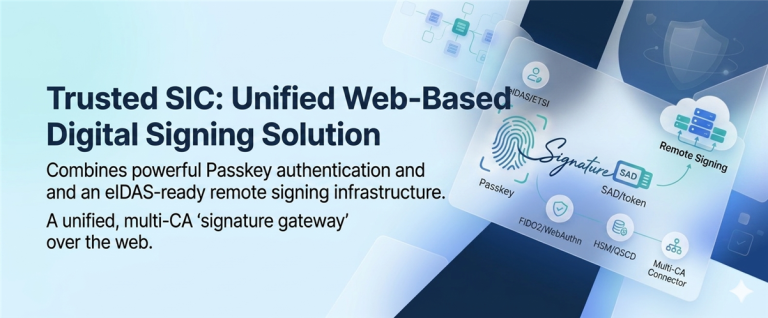
Three paths to explore: signing via VNeID / RS-HUB, Passkey / Trusted SIC authentication, and RSS documentation for technical integration. The actual connection scope is confirmed on a per-project basis.
Frequently Asked Questions About RS-HUB and Signing via VNeID
The questions below are organized around the RS-HUB topic, drawing on how Mobile-ID Sign explains it and its official Frequently Asked Questions page.
1. What is GoPaperless Digital Signing?
GoPaperless Digital Signing is a platform that supports access to and coordination of signing through mobile channels, desktop applications, and an API. It helps business applications connect with supported signing paths while managing transaction status and results within the deployment scope.
2. Does having a VNeID account mean I can sign immediately?
No. Besides an electronic identity account, users also need a suitable, valid digital signature certificate that meets the conditions of the signing service being used.
3. Does agreeing to share information on VNeID mean the signing was successful?
No. Identity authentication, agreeing to share information, and signing consent are separate actions. A transaction should only be considered complete once a valid signing result is received and the system has carried out the necessary checks and confirmations.
4. How does VNeID/RS-HUB differ from Passkey?
VNeID/RS-HUB is tied to the VNeID journey and its corresponding signing service. Passkey supports passwordless authentication and can grant per-transaction authorization within the Trusted SIC architecture. The digital signature itself is still created by the appropriate signing infrastructure; the applicable conditions and provider need to be determined separately.
See more about Passkey in the signing journey ↗.
5. Does a business need to integrate with each CA separately?
GoPaperless Digital Signing is designed to separate the connection to signing providers from the business application through a coordination layer. The ability to connect to each CA/RSSP depends on configuration, the list of supported services, and the deployment agreement — it shouldn’t be assumed that every provider is available right away.
6. Is the RSS documentation a public RS-HUB API?
It shouldn’t be read that way. The RSS documentation is published by Mobile-ID Sign as a technical reference for the VNeID signing path. The relationship between RSS and RS-HUB, connection rights, the deployment environment, and the signing provider all need to be confirmed separately before any formal integration.
7. Is RS-HUB a product owned by Mobile-ID?
No. RS-HUB belongs to the signing-service ecosystem built on the VNeID platform. Mobile-ID’s role is to provide a connection and coordination solution within the deployment scope — identification, certificate provisioning, and signature creation remain the responsibility of their respective components.
Signing via VNeID and the Digital Transformation Opportunity for Businesses
RS-HUB opens up a remote-signing approach built on the VNeID electronic identification and authentication platform.
For businesses, the value of remote signing isn’t just a more convenient way to sign — it’s the ability to connect the signing step with an entire business workflow in a digital environment.
From identity authentication and transaction authorization to signature creation, verification, and document storage, each component plays its own role in the digitization journey.
With Mobile-ID Sign – GoPaperless Digital Signing, businesses can explore the connection, coordination, and signing-transaction management options that fit their existing systems.
Mobile-ID stands alongside businesses on the journey toward safe, trustworthy, and effective electronic transactions.
Mobile-ID Sign – GoPaperless Digital Signing, VNeID/RS-HUB, RSS documentation and Frequently Asked Questions; Vietnam’s Law on Electronic Transactions 2023; Decree 23/2025/NĐ-CP; Decree 337/2025/NĐ-CP; Circular 08/2026/TT-BNV. Commercial content and integration scope should be confirmed before publication.


Community Discussion